Best Receipt Scanning App: Honest Review
A practical, no-fluff guide to the best receipt scanning apps, with honest tradeoffs, real-world use cases, and a simple plan to choose the right tool.

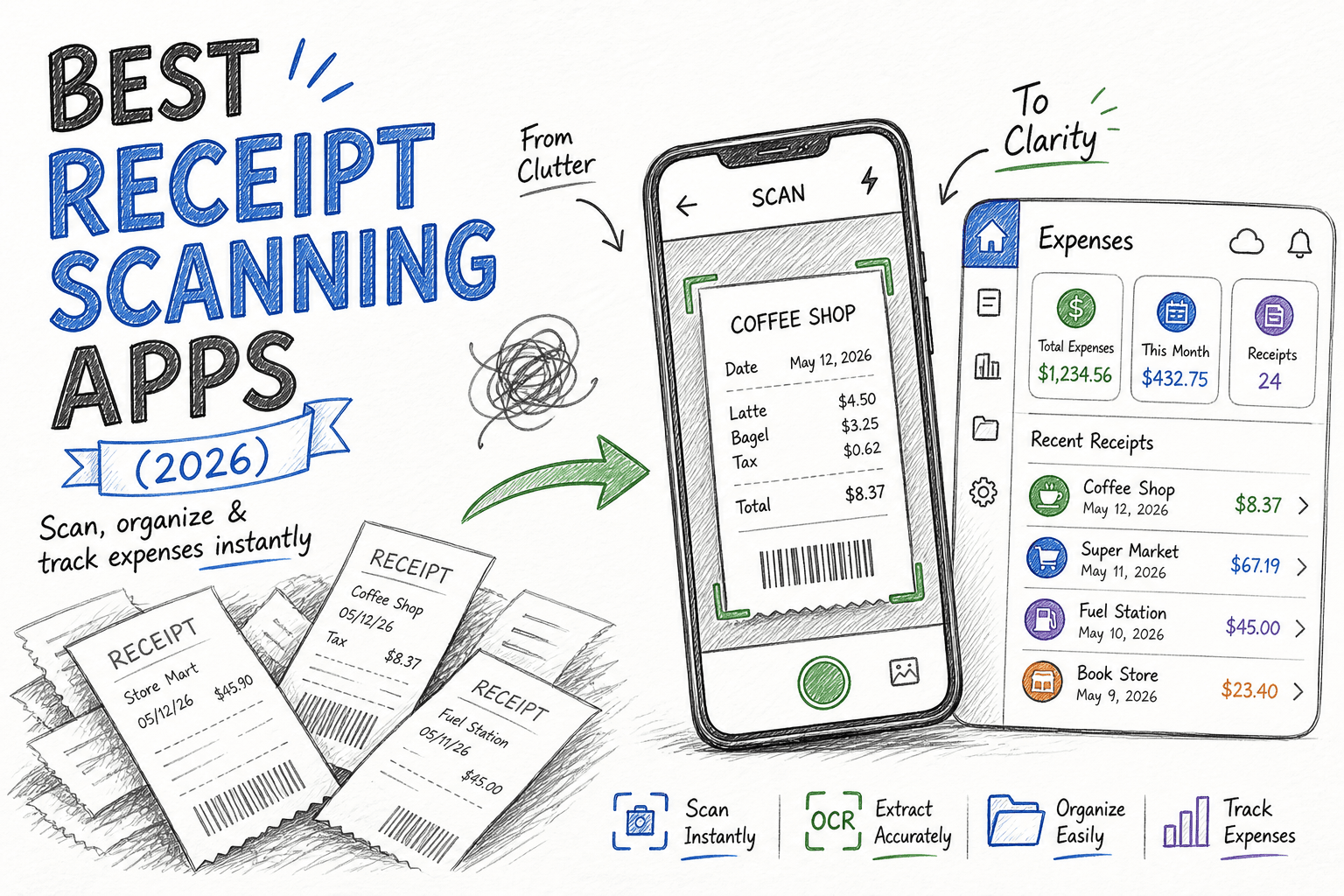
If you’ve ever spent a Sunday night digging through your bag, your glove box, or that “important papers” drawer looking for a single faded receipt... yeah, same.
I’ve tested a lot of receipt scanning apps over the years — first as a freelancer trying to survive tax season, then helping a small team clean up expense reporting without losing everyone’s mind. Some apps are genuinely great. Some are overbuilt. Some look slick in demos but are frustrating in daily use.
This guide is my practical, human take on the best receipt scanning apps right now — not just based on feature lists, but based on how they feel when you’re actually using them every week.
I’ll break down what each app is best at, where it falls short, and who should use it.
If you want narrower recommendations, jump to:
Best Receipt Scanning App for Taxes: Best Picks for Filing Season
Best Receipt Scanning App for Personal Use: Simple Picks That Actually Work
receipt scanning apps compared
Here’s the side-by-side version so you can compare quickly without jumping section to section.
Looking for a focused recommendation?
Best Receipt Scanning App for Taxes: Best Picks for Filing Season
Best Receipt Scanning App for Personal Use: Simple Picks That Actually Work
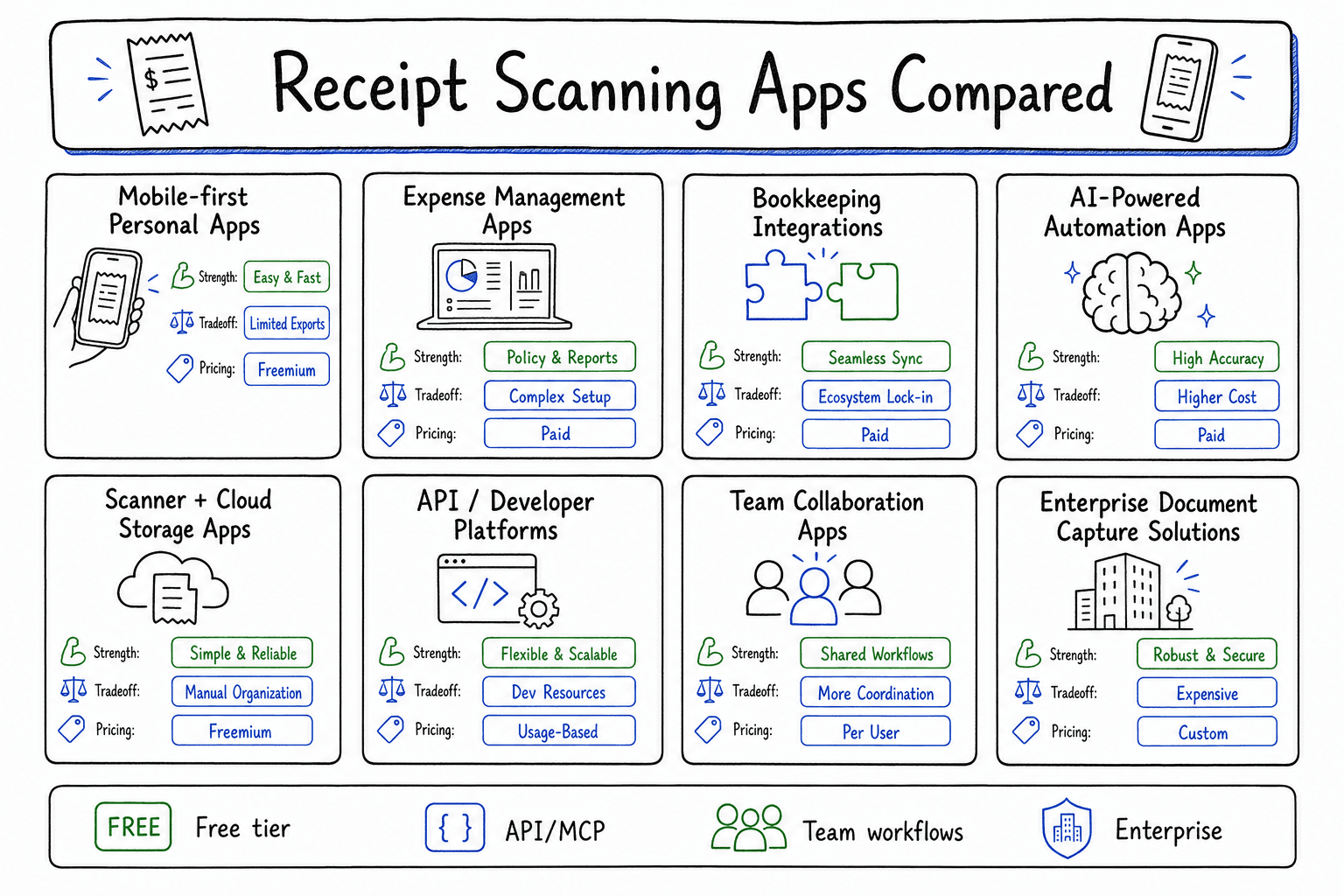
Comparison snapshot: card-style view of app strengths, tradeoffs, and pricing signals.
| App | What I liked | Tradeoffs | Pricing |
|---|---|---|---|
ReceiptExtract | Built for bulk receipt processing, includes API/MCP access for automation, and is positioned as an affordable option for growing workflows | Better fit for process-heavy teams than casual one-off receipt scanning | Paid plans start from as low as $3/mo |
Dext | Excellent OCR on common receipts, multiple ingest paths (photo/email/upload), strong bookkeeping workflow | Can feel heavy for solo users; not the cheapest for light usage | Paid plans; typically starts around $30+/mo (varies by region/volume) |
Expensify | Strong mobile capture, reliable SmartScan, great approvals and reimbursements | Can be overkill for freelancers; onboarding needed for some teams | Free tier available; paid plans commonly start around $5/user/mo |
QuickBooks Online | Native sync to books, simple capture-to-expense flow, fewer moving parts | Not always as deep as specialist tools for advanced policy workflows | Part of QuickBooks Online subscription (commonly from ~$35/mo) |
Zoho Expense | Solid OCR, policy controls, automation rules, usually strong pricing | UI can feel dense; takes more setup if you are outside Zoho | Free tier available; paid plans commonly from ~$4/user/mo |
Shoeboxed | Great convenience, useful categorization, includes options beyond app-only scanning | Less ideal for highly customized enterprise workflows; value depends on volume/plan | Paid plans commonly from ~$18/mo (annual billing) |
Wave Receipts | Free entry point, simple enough for low volume, pairs well with Wave accounting | Lighter feature depth; weak fit for approval-heavy teams | Included with Wave; free core experience |
SAP Concur | Strong governance, mature integrations, built for scale and audit trails | Heavier implementation and admin overhead; not a small-team tool | Custom/quote-based enterprise pricing |
Smart Receipts | Fast mobile capture, lightweight UX, useful for travel expense reports | Limited advanced automation and collaboration | Free plan + one-time premium upgrade (typically low-cost) |
Veryfi | Fast extraction, developer-friendly API, good for automation-heavy workflows | API-first approach can be overkill for non-technical users | Paid plans; pricing varies by volume and API usage |
how i evaluated these apps
I focused on the things people actually complain about after month two:
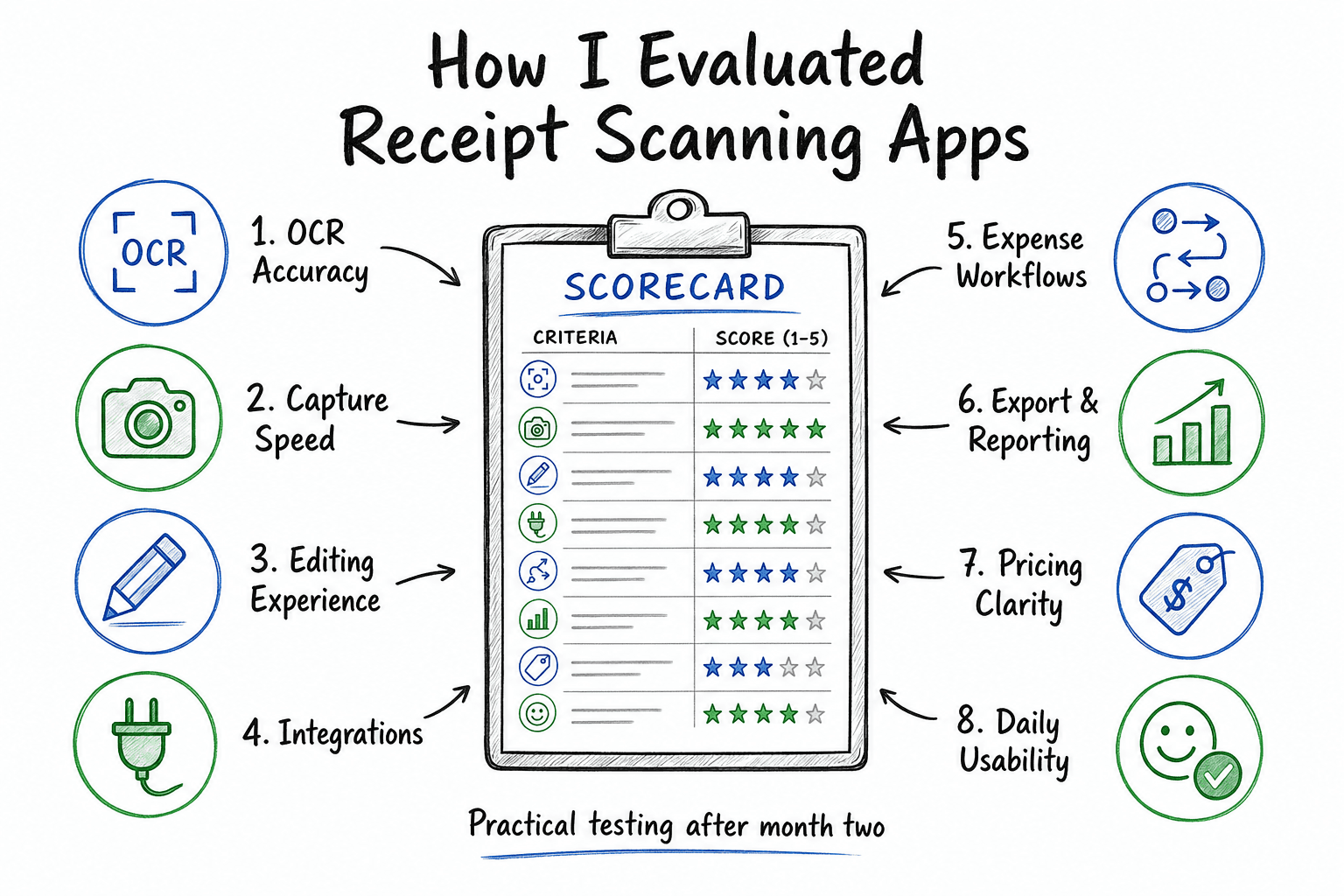
Evaluation framework: the 8 criteria I use to judge real-world receipt scanning performance.
OCR accuracy
Can it reliably capture merchant, date, subtotal, tax, and total? Bonus points for line-item extraction.Speed of capture
Snap photo, upload from email, auto-import from inbox — does it feel quick or clunky?Editing experience
No OCR is perfect. The app needs fast correction workflows when fields are wrong.Integrations
QuickBooks, Xero, accounting software, cloud storage, approval tools.Expense workflows
Categories, rules, approvals, reimbursements, policy checks.Export/reporting
CSV, PDF, accounting sync, audit trail.Pricing clarity
I dislike “contact sales to discover the price” for basic use cases.Daily usability
The one everyone ignores. If your team hates using it, the implementation is already failing.
personal notes from testing
Dext: This was the biggest “less spreadsheet chaos” upgrade in real workflows.Expensify: Once a team passes 5+ submitters, this tends to make life much easier.QuickBooks Online: If your team wants simplicity, “integrated and good enough” often wins.Zoho Expense: Underrated option; not flashy, but very capable once configured.Shoeboxed: Good pick for people who know they will procrastinate manual receipt admin.Wave Receipts: For many solo users, free is the difference between starting and never starting.SAP Concur: Not the prettiest UX, but dependable where compliance risk is high.Smart Receipts: Nice low-friction option when you just need capture + export done fast.Veryfi: Strong choice when you want fast extraction plus API access for custom workflows.
which app should you choose?
If you’re overwhelmed by options, start here:
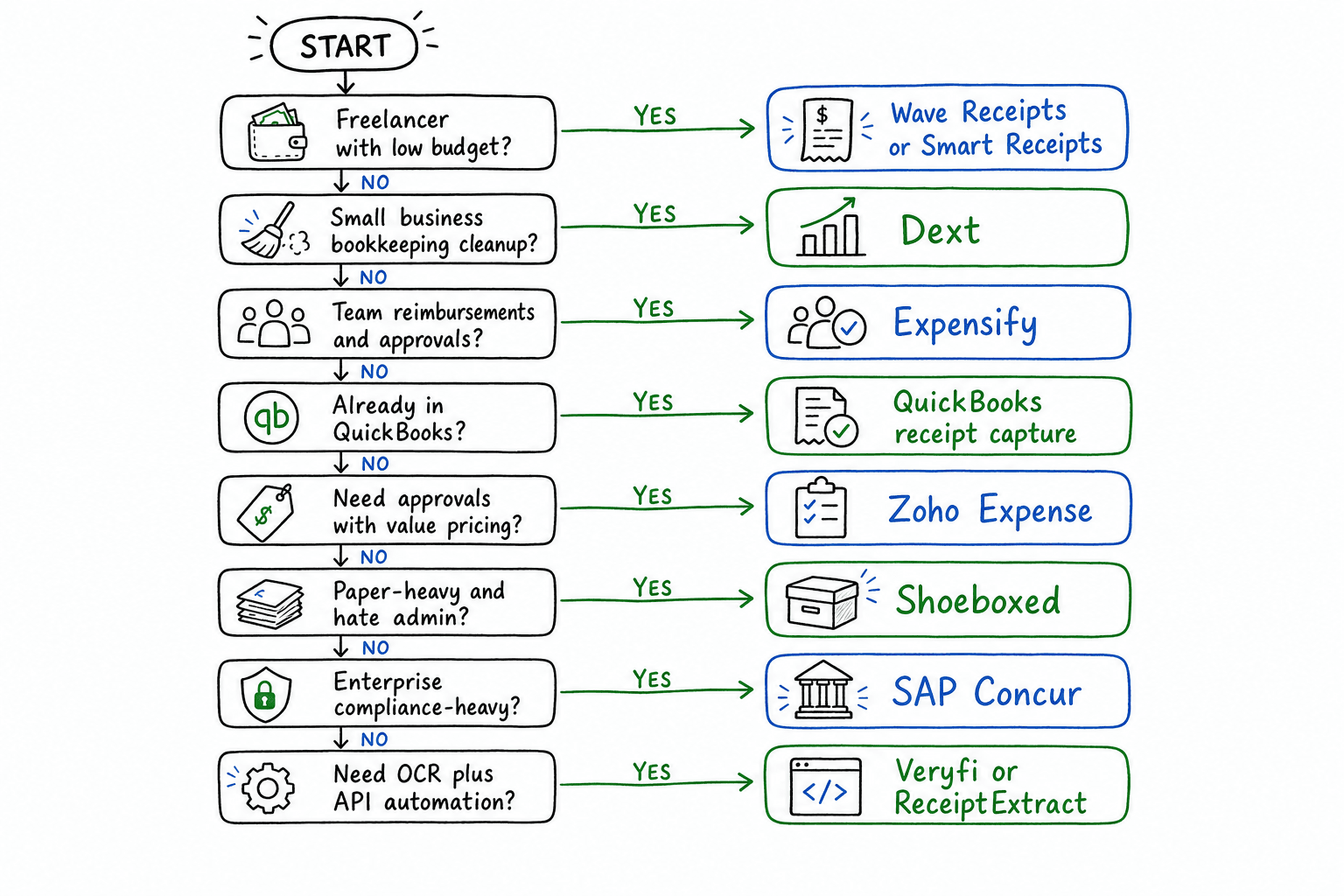
Quick decision flow: pick based on workflow, team complexity, and automation needs.
I’m a freelancer with low volume and tight budget →
Wave ReceiptsorSmart ReceiptsI run a small business and want less bookkeeping mess →
DextMy team submits reimbursements regularly →
ExpensifyWe already live inside QuickBooks →
QuickBooks receipt captureWe need approvals but want value pricing →
Zoho ExpenseI have piles of paper receipts and hate admin work →
ShoeboxedWe’re enterprise and compliance-heavy →
SAP ConcurI need receipt OCR plus API automation →
Veryfi
what makes a receipt app good in daily use
Most software comparisons focus on feature checkboxes. In practice, these four details matter more:
correction speed beats perfect ocr
Even great OCR misses details sometimes. The app should make corrections painless:
Tap-to-edit fields quickly
Smart suggestions from prior merchants
Easy tax/split/category fixes
If edits are annoying, people stop submitting on time.
capture flexibility prevents lost receipts
The best setups support:
Camera capture
Email forwarding
Drag-and-drop upload
Optional cloud import
You need backup paths because users are inconsistent.
rules reduce repeat work
Look for automatic rules like:
“Uber receipts → Travel”
“Amazon Web Services → Software”
VAT/tax defaults by merchant type
Rules are where time savings become real.
reconciliation flow matters more than scanning
Scanning is step one. Finance value happens when:
Expenses map correctly to books
Duplicates are caught
Reports are reviewable
Audit trail is clean
faq
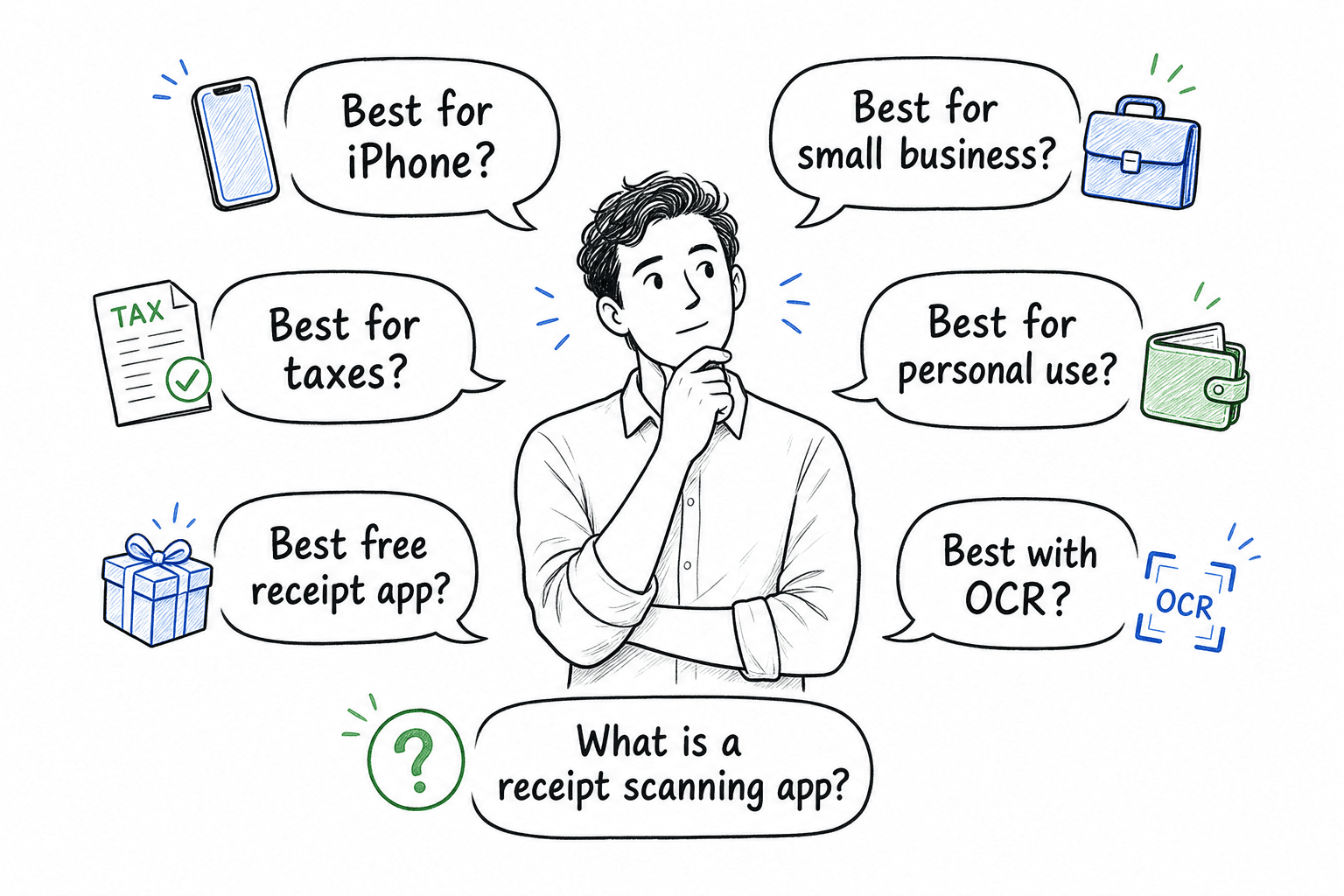
FAQ at a glance: common receipt-app questions people ask before choosing a tool.
what is a receipt scanning app?
A receipt scanning app is software that captures receipt images (usually from your phone camera, email, or uploads) and uses OCR to extract details like merchant, date, subtotal, tax, and total. Most tools also help categorize expenses, sync with accounting software, and keep an audit-friendly record for bookkeeping and taxes.
what is the most accurate receipt scanning app?
In my experience, Dext and Expensify are consistently strong for OCR in typical SMB use cases. But “most accurate” depends on receipt quality, language, tax format, and your categories/rules setup.
what is the best receipt scanning app with ocr?
If OCR quality is your top priority, start with Dext or Expensify. Both are consistently strong at extracting merchant, date, tax, and total from everyday receipts, while still giving you usable workflows after the scan.
what is the best receipt scanning app for iphone?
For iPhone users, Expensify, Smart Receipts, and Veryfi are strong options depending on your workflow. Expensify is great for team reimbursements, Smart Receipts is lightweight for solo use, and Veryfi is excellent if you want API-connected automation.
Need an iPhone-specific breakdown? See Best Receipt Scanning App for iPhone: Top Picks for 2026.
what is the best receipt scanning app for small business?
For most small businesses, Dext is the best all-around choice because it balances OCR quality, bookkeeping workflows, and integrations. If your company is already centered on QuickBooks, starting with QuickBooks receipt capture can be the simplest path.
what is the best receipt scanning app for taxes?
For tax prep and audit readiness, Dext is usually the strongest pick due to reliable extraction, categorization, and clean recordkeeping. Shoeboxed can also be a good fit if your main pain is managing large volumes of paper receipts.
For filing-season setup tips and tax-focused criteria, read Best Receipt Scanning App for Taxes: Best Picks for Filing Season.
what is the best receipt scanning app for personal use?
For personal use, Wave Receipts and Smart Receipts are usually the best starting points: low cost, simple capture, and enough structure for basic tracking. If you want more automation later, you can upgrade to a heavier tool.
For low-friction personal workflows, read Best Receipt Scanning App for Personal Use: Simple Picks That Actually Work.
what is the best free receipt scanning app?
For most people, Wave Receipts is the best free starting point because it is easy to use and good enough for low-volume tracking. Smart Receipts is another strong free option if you want a lightweight mobile workflow with simple exports.
can receipt apps extract line items automatically?
Some can, with varying reliability. Line-item extraction quality depends on receipt format and print quality. Always test with your real merchants before relying on it operationally.
final thoughts
The “best receipt scanning app” is not the one with the longest features page. It’s the one your team will actually use every week without nagging, while still giving finance clean, reliable records.
If I had to keep this simple:
Pick Dext if bookkeeping efficiency is the top goal.
Pick Expensify if reimbursements and approvals are the core pain.
Pick QuickBooks capture if you value all-in-one simplicity.
Pick Wave if cost is everything and your workflow is basic.
Pick Veryfi if API-driven automation is a top priority.
don’t expect any tool to be perfect on day one. Receipt workflows become great through small tweaks — rules, categories, user habits, and a little patience. The app matters, but your process matters more.
related guides
Explore ReceiptExtract
ReceiptExtract is an OCR and data extraction tool that turns receipt images into structured fields you can validate, export, or send to your accounting and automation workflows.