7 Best Free Receipt Scanner Apps: Practical Picks for 2026
Looking for a free receipt scanner app that is actually usable? These 7 picks cover simple scanning, OCR quality, and expense tracking with clear tradeoffs.

Most "free" receipt scanner lists are either outdated or quietly push apps that become expensive after two weeks.
This guide is the practical version: seven apps you can start with for free, what each one is actually good at, and where the limits show up.
If you want the broad paid + free breakdown too, read Best Receipt Scanning App: Honest Review.
quick answer
Best fully free scanner overall: Microsoft Lens
Best free OCR quality for documents/receipts: Adobe Scan
Best free for expense-style receipt tracking: Smart Receipts
Best free if you already use Google tools: Google Drive Scan
Best free accounting-connected option: Wave
receipt scanner apps compared (free options)
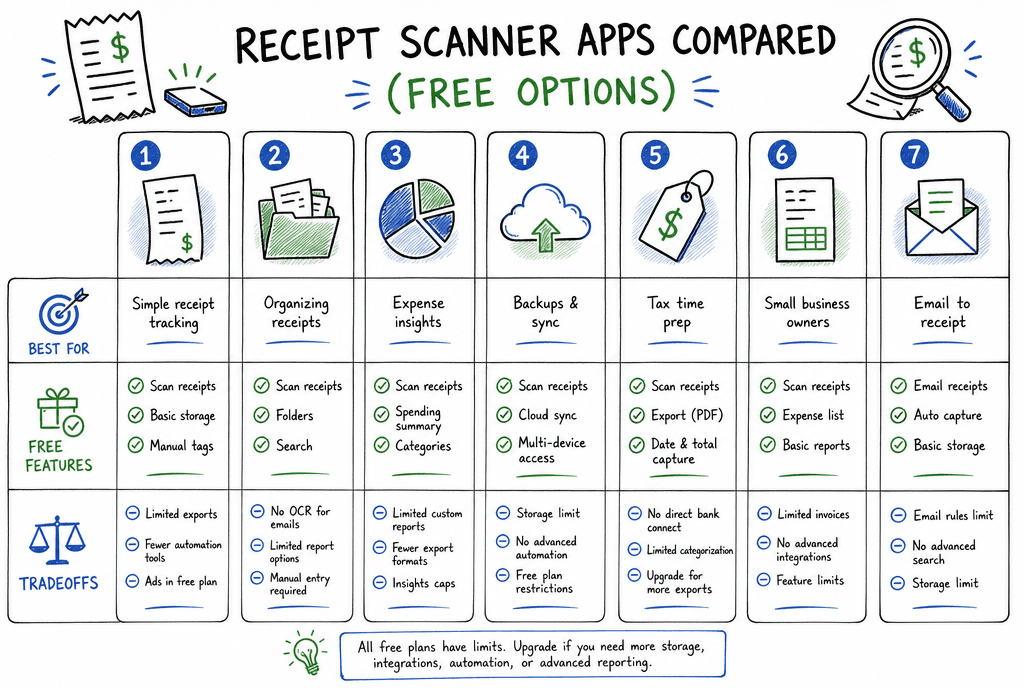
Quick side-by-side view of the seven free app paths and their practical tradeoffs.
| App | Best for | What you get free | Tradeoffs |
|---|---|---|---|
| Microsoft Lens | Clean scanning + PDF capture | Unlimited basic scan/OCR workflow, easy export to PDF/OneDrive | More scanner than expense manager |
| Adobe Scan | Strong auto-crop + readable OCR | High-quality capture and searchable scans | Advanced Acrobat workflows can require paid tiers |
| Google Drive Scan | Fast no-friction storage | One-tap scan to PDF directly in Drive | Limited receipt-specific categorization |
| Smart Receipts | Expense logs + trip reports | Receipt capture, categories, and export basics | UI is functional, not polished; occasional reliability complaints from some users |
| Genius Scan | Batch scanning and cleanup | Good scanner tools for multi-receipt capture | Expense analytics are limited in free workflow |
| Wave | Small business bookkeeping starter | Receipt capture tied to free accounting stack | Feature depth is lighter than specialist expense apps |
| QuickBooks app | QuickBooks users who want free capture path | Receipt photo capture inside existing QB workflow | Full value depends on paid QuickBooks subscription |
how i judged these free apps
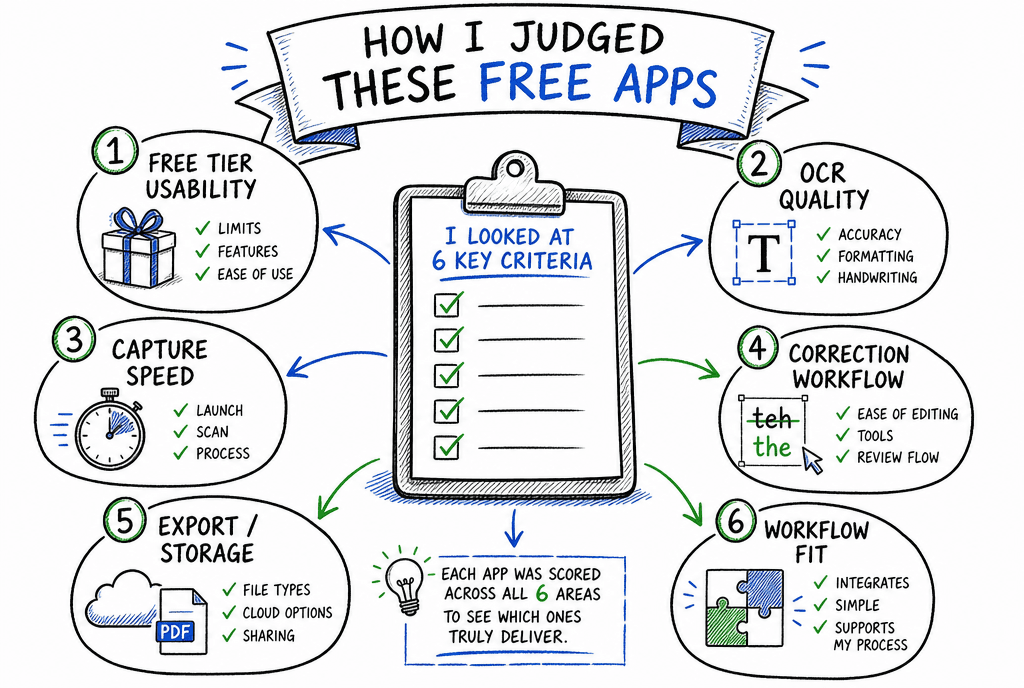
Evaluation framework focused on what actually matters in free receipt tools.
For free tools, I care less about enterprise features and more about whether they hold up after month one:
Free tier usability: does free feel genuinely usable, or just a trial funnel?
OCR quality: merchant, date, subtotal, tax, and total extraction quality.
Capture speed: how fast it is to scan, rename, and move on.
Correction workflow: easy edits when OCR misses details.
Export/storage: PDF, CSV, cloud storage, and retrieval when needed later.
Workflow fit: personal tracking, taxes, reimbursements, or bookkeeping.
the 7 best free receipt scanner apps (with honest tradeoffs)
1) Microsoft Lens
If you want a free app that just scans receipts well and does not fight you, this is the safest default.
Best for: people who want clean scans and searchable PDFs without extra setup.
Tradeoff: no deep expense policy or reimbursement workflow.
2) Adobe Scan
Adobe Scan is consistently strong at auto-detecting edges and cleaning up crumpled or low-contrast receipts.
Best for: high readability and solid OCR from a free app.
Tradeoff: if you need advanced document automation, you may hit paid Acrobat features.
3) Google Drive Scan
This is the simplest possible flow: snap receipt, save as PDF, done.
Best for: people already organizing files in Google Drive.
Tradeoff: weak on receipt-specific fields, categories, and reporting.
4) Smart Receipts
Smart Receipts is one of the few free-first tools that feels built for expenses, not just scanning.
Best for: mileage + category + export workflows (especially freelancers and travel-heavy users).
Tradeoff: some users report reliability issues around large exports, so test with your own year-end volume early.
5) Genius Scan
Genius Scan is great when your main issue is quick capture of multiple receipts in one session.
Best for: batch scanning and straightforward document cleanup.
Tradeoff: not a full expense management platform by default.
6) Wave
Wave is attractive because it connects receipt capture to bookkeeping in one low-cost ecosystem.
Best for: solo business owners who want a free accounting-centered starting point.
Tradeoff: less depth for advanced approval, policy, and multi-team workflows.
7) QuickBooks app
If you already pay for QuickBooks, the mobile receipt capture path can be the easiest "free add-on" to your current process.
Best for: existing QuickBooks users who want less app sprawl.
Tradeoff: not a true standalone free stack if you are not already in QuickBooks.
quick decision path
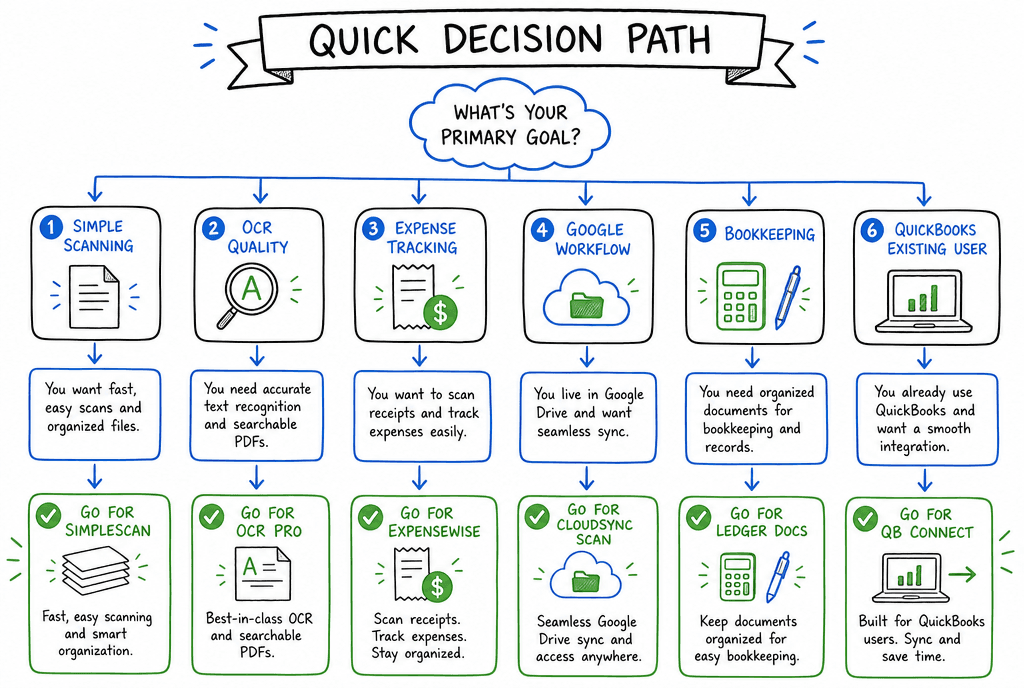
Use this path to pick the simplest free option that matches your real workflow.
I only need free scanning + OCR: pick
Microsoft Lens.I care most about image cleanup and readable text: pick
Adobe Scan.I want receipt tracking with categories and reports: pick
Smart Receipts.I already live in Google Drive: pick
Google Drive Scan.I want bookkeeping context too: pick
Wave.I already use QuickBooks anyway: use
QuickBooksreceipt capture first.
common mistakes when choosing a free receipt app
choosing based on install count instead of export quality
Test export early. If PDF/CSV export is clunky, tax season gets painful.
ignoring correction speed
No OCR is perfect. The best app is the one where fixing one wrong field takes seconds, not minutes.
waiting to test your real receipts
Always test with your actual merchants, paper quality, and tax formats. Demo receipts are too clean.
faq
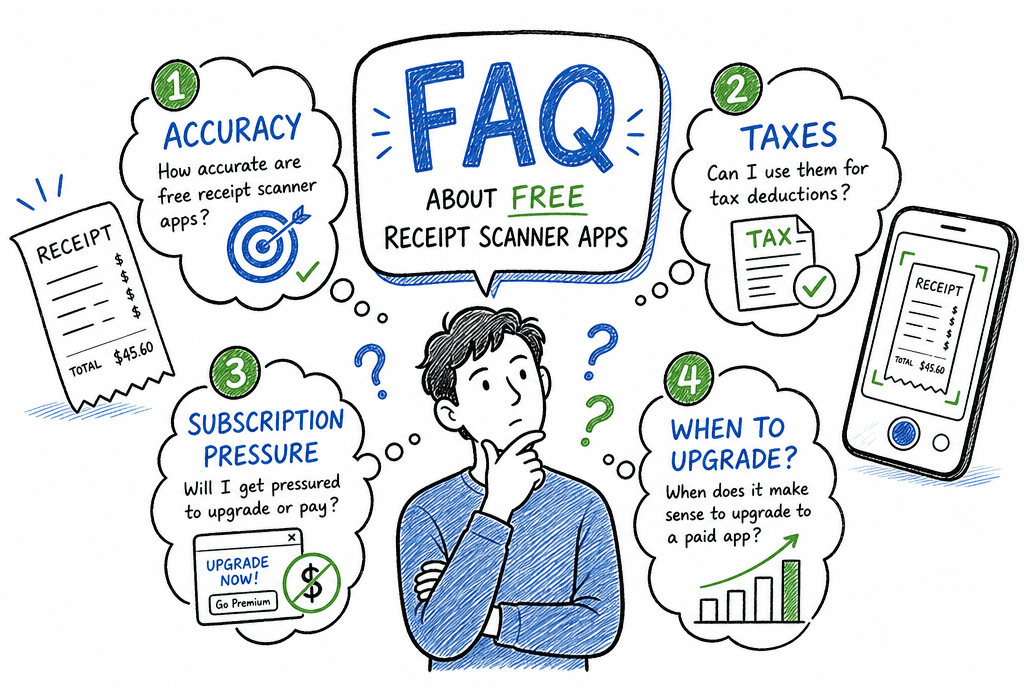
FAQ snapshot of the most common concerns before choosing a free receipt app.
what is the best free receipt scanner app overall?
For most people, Microsoft Lens is the best overall free starting point because it balances scan quality, OCR readability, and ease of use with no heavy setup.
what is the best free receipt scanner app for taxes?
For tax prep, Smart Receipts is usually a stronger free pick than generic scanners because it adds categories and export structure. If you only need digital copies, Adobe Scan is also strong.
are free receipt scanner apps accurate enough?
Usually yes for merchant/date/total on clean receipts. Accuracy drops with faded prints, long thermal receipts, or unusual formats. Always spot-check key fields.
is there a truly free app without subscription pressure?
Microsoft Lens, Google Drive Scan, and the core Wave flow are among the least pushy free paths. Some other apps are free but reserve advanced workflow features for paid tiers.
what should i do if i outgrow free tools?
Move gradually: keep your capture habit, then upgrade only when your bottleneck is approvals, reimbursements, or accounting automation.
final thoughts
The best free receipt scanner app is the one you will still use in three months, not the one with the biggest feature list.
If you want the simplest starting point, use Microsoft Lens. If you want receipt-specific tracking, start with Smart Receipts. If bookkeeping matters most, start with Wave.
Then improve your process one step at a time: better categories, better naming, and a weekly 10-minute cleanup routine.
related guides
Explore ReceiptExtract
ReceiptExtract is an OCR and data extraction tool that turns receipt images into structured fields you can validate, export, or send to your accounting and automation workflows.